



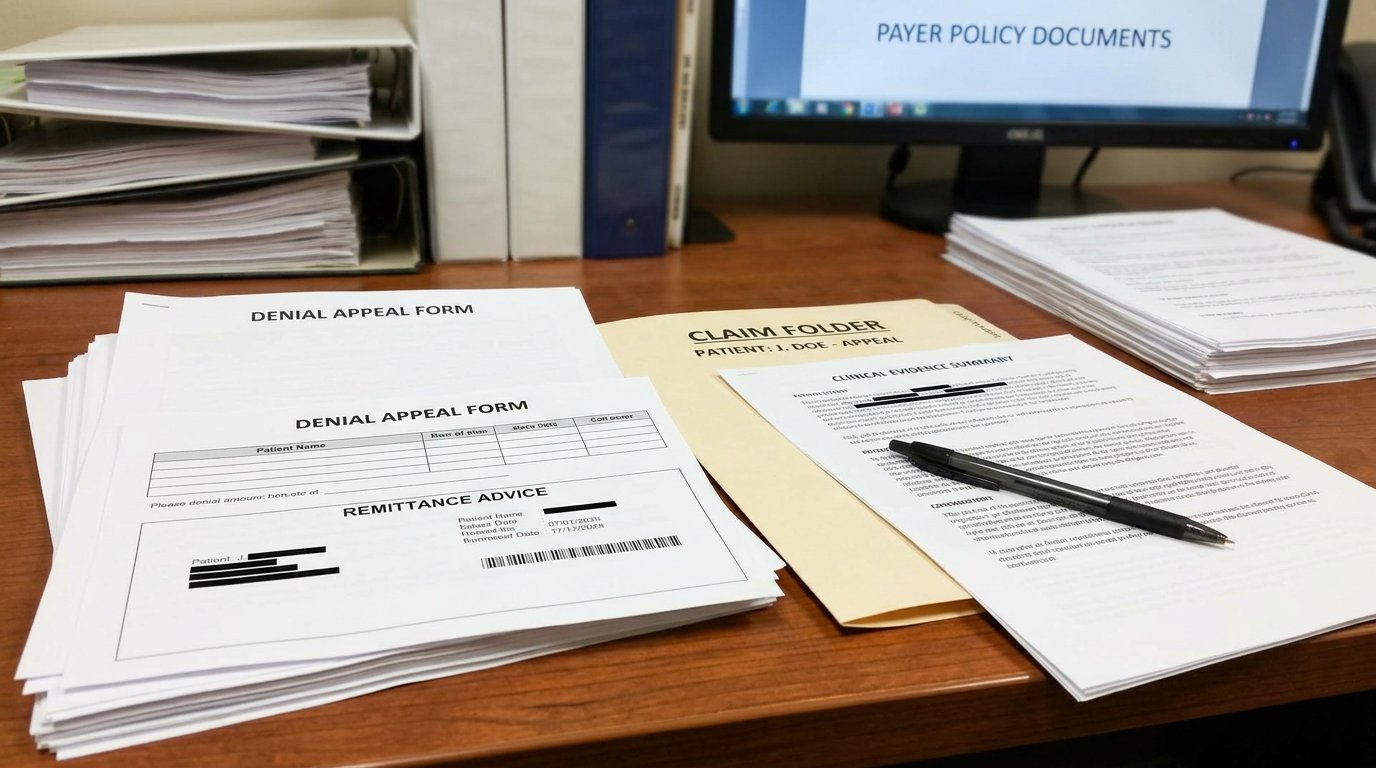


To manage prior authorization follow-up without losing revenue, you’ll need a centralized tracking system with expiration alerts, a dedicated auth specialist managing your queue, and verification at booking, not at the claim stage. With 48% of denials tied to prior auth issues and a 44% appeal overturn rate, you can’t afford missed deadlines. The steps below break down exactly how to close every gap in your workflow.
Why PA Gaps Cost More Than Denied Claims

When an authorization lapses, the cost isn’t limited to the denied claim, it compounds across your entire revenue cycle. With 450 million claims denied annually and administrative costs reaching $57.23 per claim, each lapse in prior authorization follow-up behavioral health triggers rework that diverts staff from active caseloads. Authorization renewal addiction treatment facilities overlook creates cascading denials, services delivered during gaps become write-offs when appeal windows close. Fewer than 1% of denied claims are appealed, despite a 44% overturn rate, meaning most lapsed authorizations convert directly to lost revenue. Behavioral health revenue protection demands you treat every expiration date as a financial deadline, not an administrative footnote. With 83% of providers reporting that staff shortages impede follow-up on late payments, understaffed teams are even less equipped to catch expiring authorizations before they lapse. The gap between sessions is where revenue disappears.
Build a Payer Authorization Grid You Actually Keep Updated
Preventing those revenue gaps requires more than awareness, it requires a structured reference tool your team actually uses daily. Build a payer-specific authorization grid that maps each insurer’s requirements: approved session counts, renewal timelines, required documentation, and submission channels. Streamlined processes for behavioral health services can significantly enhance efficiency and reduce administrative burdens.
Your authorization tracking system should include columns for payer name, level of care, authorized units, expiration dates, and proxy approval rules when primary contacts are unavailable. This grid becomes the backbone of auth management treatment center operations. Each cell should define clear escalation paths for approvals, addressing who steps in when the primary authorizer is unavailable, with delegation rules that prevent bottlenecks during absences.
Assign one staff member to own grid updates whenever payer policies shift. When you’re renewing prior auth mental health authorizations, outdated grids cause missed deadlines. Review the grid monthly, flag revisions, and audit entries against current payer portals. Accuracy here directly protects downstream revenue.
Put One Person in Charge of the Entire Auth Queue

Assign one dedicated authorization specialist to own the entire auth queue from submission through resolution. When you’re managing authorizations behavioral health facilities generate, splitting responsibilities across staff creates gaps that lead to auth expiration behavioral health teams can’t recover from. One specialist builds payer-specific expertise and maintains a tighter authorization follow-up process. This centralized ownership also ensures that incomplete submissions are caught before they reach the payer, preventing requests for additional information that extend processing timelines by days or weeks.
| Responsibility | Frequency | Outcome |
|---|---|---|
| Submit new auth requests | Same day as intake | Zero submission delays |
| Follow up on pending auths | 48 hours and 5 days post-submission | Faster payer decisions |
| Track expiration dates | Daily queue review | No lapsed authorizations |
| Document payer communications | Every contact | Appeal-ready records |
| Escalate non-responses | After second follow-up | Revenue protection |
Staff one full-time specialist per every two to three providers to maintain accountability without bottlenecks.
Check PA Requirements the Day You Book
Having the right person managing your auth queue solves the accountability problem, but that specialist can’t follow up on authorizations nobody knew were required. You need to verify prior authorization requirements at the moment you schedule each patient’s intake, not after the first session’s already delivered. Understanding the level of care for behavioral health is crucial in ensuring all necessary treatments are covered. Each patient’s unique needs must be assessed to determine the appropriate interventions.
Even the best auth specialist can’t manage requirements no one flagged, verification must happen at scheduling.
Build a same-day verification step into your booking workflow:
- Confirm payer-specific PA requirements before locking the admission date
- Document the number of authorized sessions or days granted at initial approval
- Flag expiration dates immediately in your tracking system for proactive renewal
- Identify payers with historically short authorization windows that increase prior auth lapse behavioral health risk
Every day you delay verification compounds your exposure. Catching requirements at booking prevents unauthorized service delivery entirely.
Track Every Authorization With Status and Expiration Alerts

Once you’ve confirmed PA requirements at booking, you need a live tracking system that monitors every authorization’s status and remaining units in real time. Set expiration alerts in your practice management system, TherapyNotes, for example, flags authorizations with fewer than two uses remaining or approaching expiration dates, so you’re acting before a lapse occurs, not after. Pair these internal alerts with payer-side notifications through tools like Surescripts or CoverMyMeds to guarantee no authorization expires without a renewal already in progress.
Real-Time Status Monitoring
Every active authorization in your system carries an expiration date, a remaining unit count, or both, and each one requires monitoring before it lapses, not after a claim denial surfaces. Real-time status monitoring eliminates the gap between payer decisions and your team’s awareness by pushing updates directly into your workflow.
- Automated status retrieval pulls authorization or denial numbers without manual payer portal checks, using API and X12 278 integrations to maintain current records.
- Centralized dashboards consolidate real-time status updates across all payers into a single view, so nothing requires cross-referencing multiple systems.
- Intelligent risk alerts flag cases trending toward denial or reduction before the authorization window closes.
- EHR integration pushes status details directly into your practice management system, keeping clinical and billing teams aligned on remaining authorized units.
Expiration Date Alert Systems
Because authorization windows don’t pause while your team catches up, your expiration date alert system must detect approaching deadlines and push notifications before a lapse occurs, not after a denial reveals the gap.
Configure your system using these threshold parameters:
| Alert Trigger | Threshold Window | Action Required |
|---|---|---|
| Date-based expiration | 30, 60 days before end date | Initiate renewal outreach |
| Visit-based threshold | 5 or fewer remaining units | Submit extension request |
| Renewal calculation window | 6 weeks before expiration | Contact payer for reauthorization |
| Duplicate alert check | Each notification cycle | Verify email-sent status before resending |
| Daily automated scan | Every 24 hours | Flag all records within threshold |
Your alerts should include authorization number, end date, CPT codes, and remaining units, routed directly to the staff member responsible for renewal submission.
Automate Prior Authorization Submissions to Cut Manual Errors
Although manual prior authorization workflows depend on staff to extract clinical data, match payer-specific rules, and route submissions through the correct channels, each of these steps introduces error points that lead directly to denials. Automation eliminates these failure points by handling data extraction, rule alignment, and submission routing within a single system.
Every manual step in prior authorization is a potential denial, automation eliminates those failure points before they cost you.
- Intelligent data extraction pulls structured and unstructured data from EHRs to populate authorization forms, catching missing information through built-in validation before submission.
- Real-time payer rule alignment matches each request against current National Payer Rulesets, removing guesswork around payer-specific requirements.
- Multi-channel submission routing automatically directs requests through the correct channel, API, 278 EDI, portal, or fax.
- Proactive issue detection identifies problems before submission, preventing denials rather than appealing them.
Spot Authorization Denial Patterns Before They Drain Revenue
Automating submissions eliminates errors at the point of entry, but it doesn’t address what happens when payers systematically deny correctly submitted requests. Prior authorization denials account for 48% of all claim denials, making pattern recognition essential to protecting revenue.
You need to track denial codes, timestamps, and payer behaviors continuously to detect surges before losses compound.
| Denial Pattern | Action Required |
|---|---|
| Authorization adjacency errors | Verify authorization levels match billed services |
| Payer AI-driven denial surges | Escalate disputes and document baseline metrics |
| Timely filing risk (45+ days in queue) | Prioritize for immediate resubmission |
| Recurring eligibility-based denials | Audit front-end verification workflows |
Correlating historical denial data with payer-specific trends gives you leverage for contract negotiations and targeted workflow corrections.
Appeal Denied Auths Before the Deadline Closes
When a prior authorization denial hits your queue, you need a standardized appeals process that moves faster than the payer’s deadline clock. Every payer sets its own timeline, ranging from 30 to 180 days from the denial date, and missing that window forfeits your right to recover the revenue. Build a repeatable workflow that pairs each denial with its specific deadline, required documentation, and submission method so no appeal falls through the cracks.
Standardize Your Appeals Process
Because every denied authorization carries a hard deadline for appeal, typically 60 to 180 days for commercial and ERISA plans, and just 60 days for Medicare Advantage, your team needs a standardized appeals workflow that activates the moment a denial letter arrives. The prior authorization process for behavioral health can often lead to complexities that require careful navigation.
Your workflow should include these sequential steps:
- Read the denial letter immediately to identify the specific reason, required documents, submission method, and exact appeal deadline
- Request peer-to-peer review within 48 hours, since success rates reach 62, 74% when backed by strong clinical documentation
- Compile a complete appeal package that includes physician attestation, evidence of failed conservative treatments, peer-reviewed studies, and applicable clinical guidelines
- Submit via the insurer-specified method and confirm receipt by Day 3, documenting the reviewer’s name and expected decision timeline
Meet Payer Deadline Requirements
Every step in that appeals workflow becomes worthless if your team misses the payer’s filing deadline. Locate the “Date of Determination” on each denial notice, that’s Day 0. Then apply the payer-specific window:
| Payer | Appeal Deadline |
|---|---|
| Aetna, BCBS, Cigna, Premera | 180 calendar days |
| UHC | 65 calendar days |
| Medicare Advantage (all plans) | 60 calendar days |
Submit well before these cutoffs to account for processing delays. If a denial notice omits deadline information, that violates 29 CFR 2560.503-1, file your appeal immediately and cite the violation in your cover letter. Track every submission with certified mail receipts or portal confirmations. Once a deadline passes, you’ve forfeited your appeal rights and the associated revenue permanently.
Match Documentation to Payer Criteria to Skip Peer-to-Peer
Although peer-to-peer reviews exist as a safeguard for borderline cases, most authorizations that escalate to that stage don’t get there because the clinical picture is weak, they get there because the documentation didn’t speak the payer’s language. You can eliminate most peer-to-peer escalations by aligning your submissions directly with each payer’s evaluation framework before you submit.
Most peer-to-peer escalations stem from documentation that doesn’t speak the payer’s language, not from weak clinical pictures.
- Reference MCG or InterQual criteria explicitly in your clinical rationale rather than relying on general medical necessity statements
- Pair each diagnosis with functional impact statements that match the payer’s specific coverage thresholds
- Exclude non-medical goals from submissions since academic and social objectives fall outside covered services
- Track approval rates by payer to identify which documentation strategies succeed with specific insurers
Measure PA Approval Rates and Turnaround Time Monthly
Until you’re tracking approval rates and turnaround times in structured monthly reports, you won’t know whether your authorization process is actually working, you’ll just know whether individual requests got approved or denied. Monthly aggregation lets you benchmark against industry standards: first-pass approval targets should exceed 90%, while average first-pass rates across payers sit between 70, 80%.
Track five core metrics: approval rate, denial rate, average turnaround time from submission to decision, resubmission/appeal rate, and staff productivity measured by authorizations handled per person. Categorize denials by type, documentation gaps, coding errors, medical necessity disputes, so you can target the root cause. Use real-time dashboards for daily operational monitoring, but rely on monthly reports for leadership oversight, payer-specific trend analysis, and measurable process improvement.
Call Now and Simplify Your Billing Process
Revenue challenges should never distract you from the work that matters most. At Arise Billing Solutions, our experienced U.S.-based team manages your entire billing cycle with accuracy, transparency, and integrity. Call +1 (747) 256-6600 today and let us help you take control of your revenue.
Frequently Asked Questions
What Happens to Patient Care Continuity When a Prior Authorization Lapses Mid-Treatment?
When a prior authorization lapses mid-treatment, you’re putting your patients at serious risk. Research shows 78% of patients abandon treatment entirely due to PA burdens, and 61% of physicians report PA disruptions destabilize previously stabilized patients. You’ll see delayed sessions, gaps in therapeutic momentum, and potential adverse events, 29% of physicians have witnessed serious ones. You must track expiration dates proactively, contact payers before deadlines, and escalate non-responses immediately to maintain uninterrupted care.
Can Patients Be Billed for Services Delivered During an Authorization Gap?
You generally can’t bill patients for services denied due to your facility’s failure to maintain authorization. If the lapse results from an administrative error on your end, the financial responsibility typically falls on you, not the patient. However, you should check your provider agreement and state regulations, as rules vary. The No Surprises Act also restricts balance billing in specific scenarios. Document every authorization gap thoroughly and exhaust all appeal options before writing off denied claims.
How Do Telehealth Sessions Affect Prior Authorization Requirements Across Different Payers?
Telehealth prior authorization requirements vary considerably by payer. For Medicare, you’ll only need prior authorization for telehealth if the corresponding in-person service requires it. Private payers can’t impose stricter authorization requirements for telehealth than for in-person visits. Medicaid rules differ by state, with no uniform national standard. You should maintain a payer-specific telehealth authorization database, verify requirements directly with each payer before delivering services, and monitor policy changes regularly.
Do Prior Authorization Requirements Differ Between In-Network and Out-Of-Network Providers?
Yes, prior authorization requirements differ considerably between in-network and out-of-network providers. When you’re out-of-network, most payers mandate prior auth for nearly all non-emergency services, while in-network providers often bypass it due to pre-negotiated agreements. You’ll need to verify each payer’s specific policies, BCBSIL, Meridian, and others enforce strict out-of-network auth rules. Check eligibility responses for auth indicator codes and submit requests before delivering services to prevent denials.
How Should Facilities Handle Authorization Follow-Up When Patients Transfer Between Care Levels?
You should initiate a new authorization request for the incoming care level before the patient changes, while keeping the current level’s authorization active until the transfer completes. Track both authorizations simultaneously in your system, documenting the change date, clinical justification, and payer confirmation. You’ll want to verify the receiving level’s specific payer requirements, since each care level carries distinct authorization criteria, timelines, and documentation thresholds that affect claim approval.